
Flashforge Creator 5 Pro Review: Measured Waste, Real Problems, and Who Should Buy It
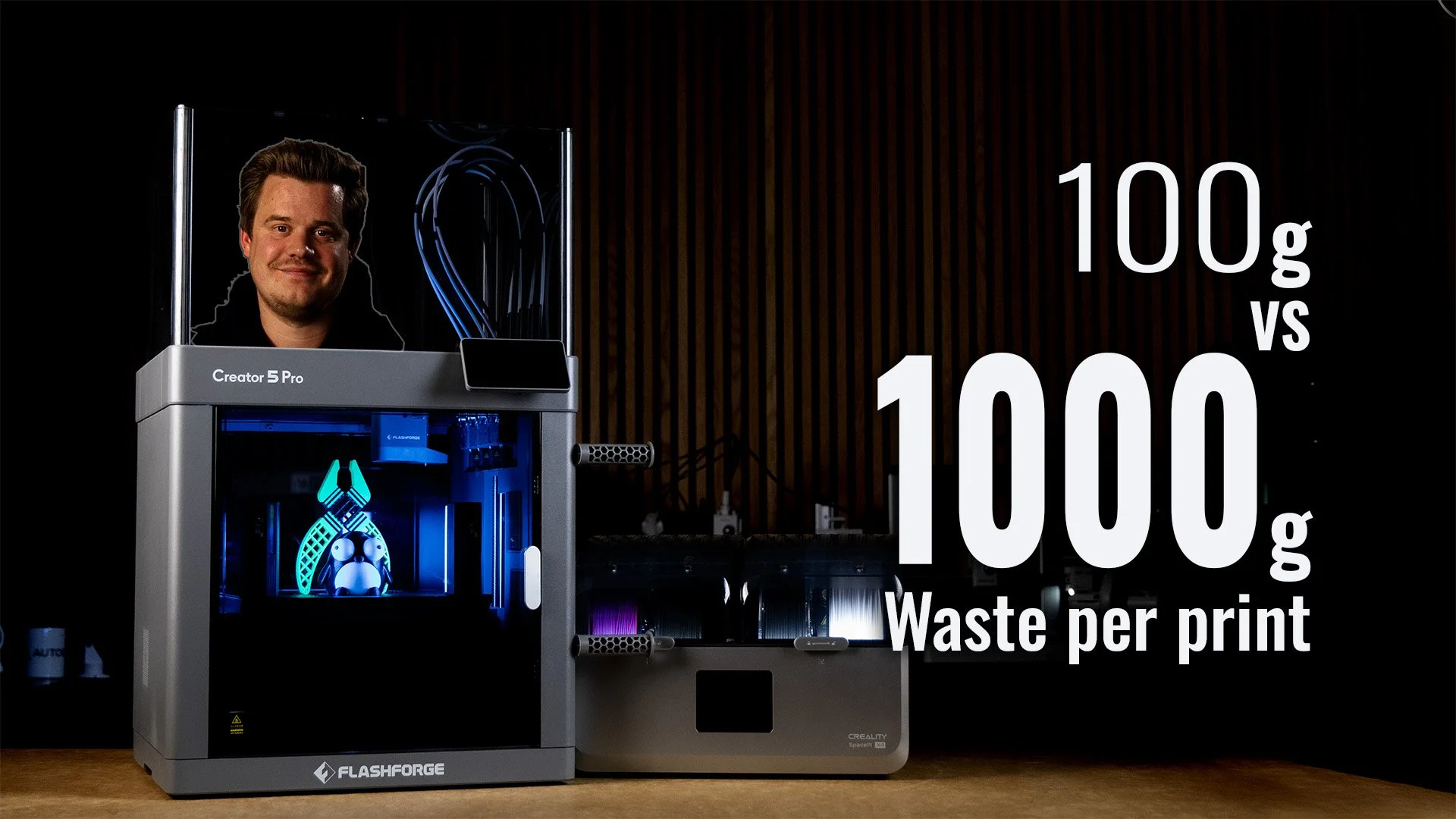
UPDATE 2026-09-21. Personally tested in my studio with hundreds of hours and several kilos printed.
Quick Verdict:
The Creator 5 Pro is now the tool changer 3D Printer i go to when I need several materials or engineering materials. On typical multi-material or color printing we’re saving hundres of grams of filament in waste compared to non-toolchangers. With faster filament changes compared to AMS-style printers, we’re also printing in hours instead of days when it gets complicated. The only thing holding this printer back is the camera monitoring and slicer ecosystem.
The Good:
Up to 90% less waste and 3-5x faster printing compared to AMS-style printers
Reliable tool changes (i’ve never had a failure so far)
Excellent multi-material combinations (Soft TPU mixed with stiff CF-PETG for example)
ASA and ABS prints very easy thanks to the 65°C chamber
Price: On sale to $849 (Creator 5 Pro) and 3DPTD30 give you $30 off
The bad:
The camera is terrible
Enclosure is reported to leak slightly (I’ve not had too much problem)
Startup procedure purges under the bed, leaving a mess
Calibration and starting a print is slow
Less smooth when using Makerworld mutli-color 3MF projects
No obvious way to mix nozzle sized in same print
My Flashforge Creator 5 review video
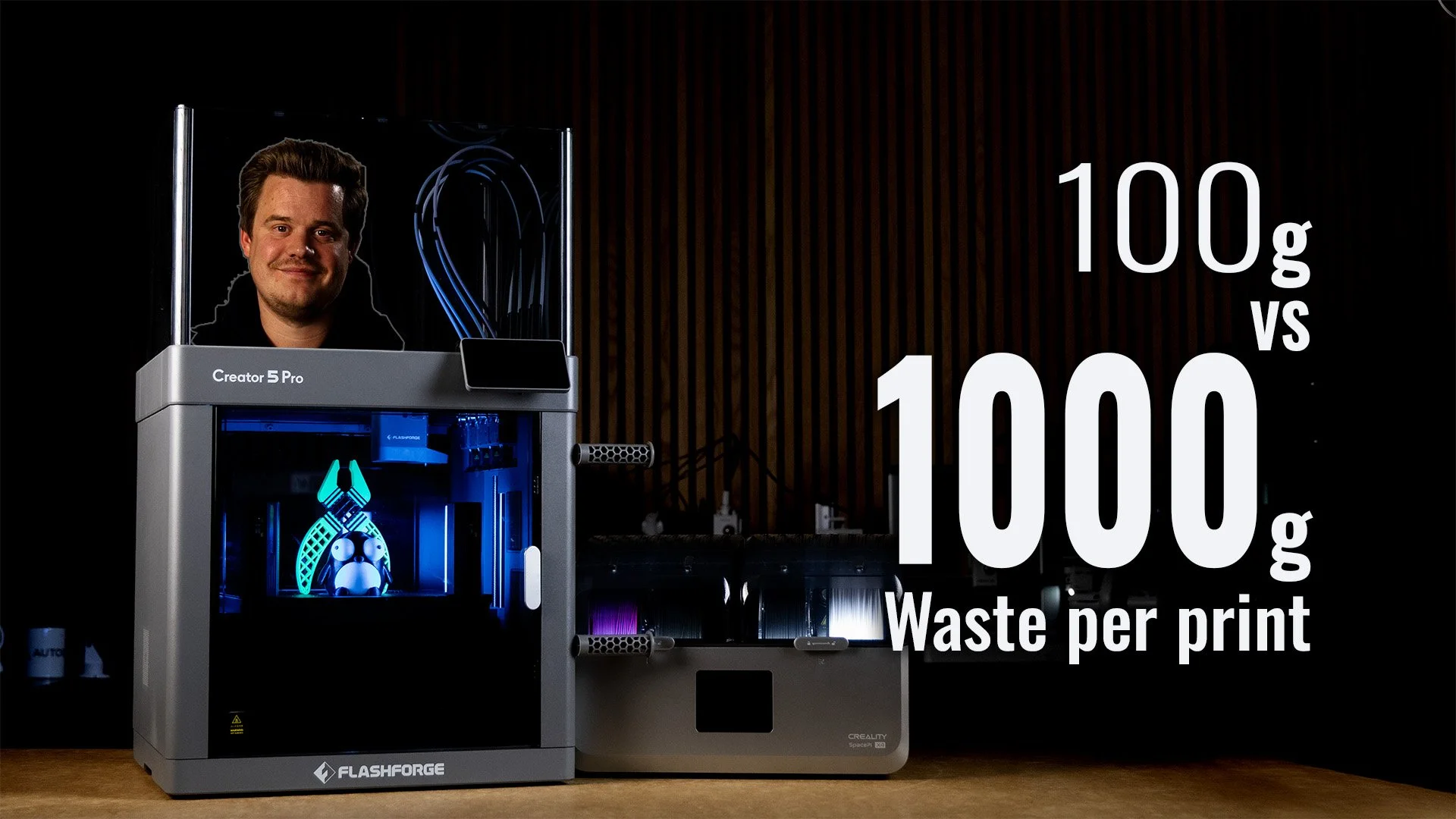
How I tested with the Creator 5 Pro
I’ve run the Creator 5 Pro in my workshop studio since early summer 2026 using only the Flash Stuidio, purposely going after the vanilla experience, not using OrcaSlicer or custom firmware. This is what I expect most users to do. Materials printed. PLA, PETG, TPU 95A, ABS, ASA, PA6, CF-PETG, PLA Tough. The official Flashforge VDS dryer wasn’t available, so I bought the Creality Space Pi x4 4-slot dryer which worked great for me.

Grumpy Racoon by Kaeck-Kreativ on MakerWorld.
Waste and print time: Creator 5 Pro vs an AMS printer
The claim from Flashforge is “zero waste” and 500% faster. Actually, the exact wording is “Zero Purge waste” which is almost correct. Creator 5 purges the nozzles that will be used before printing, but It’s done once per print.
During printing it will still have to prime tool heads between color changes, but that is only a fraction of a gram (around 100g prime tower for 1500 changes in my test). The priming could technically be done inside the print, as infill, but the default is to use a prime-tower.
In my test I used the Grumpy Racoon by Kaeck-Kreativ on MakerWorld, a fairly typical 4-color print designed for AMS-style printers. I sliced it in both Bambu Studio for the P1S in my studio and in Flash Studio for Creator 5 Pro, both first at standard 0.2mm default quality.
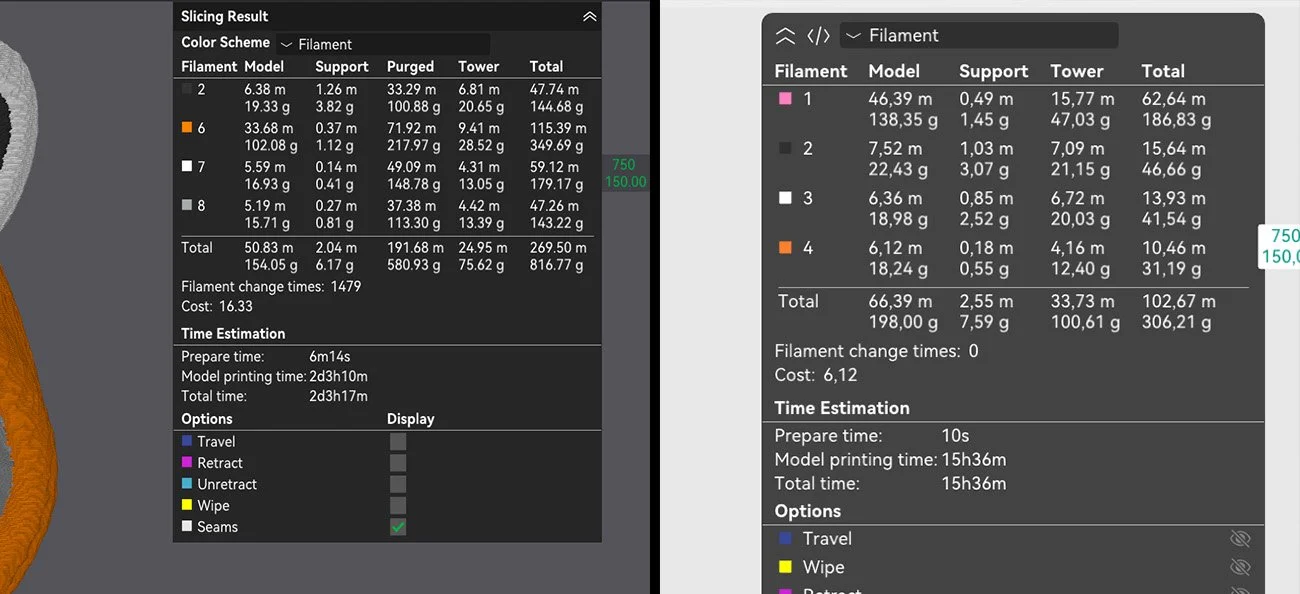
Left: Bambu Studio P1S 0.2mm default settings (they recommend a prime tower). Right: Flash Studio 0.2mm default settings.
| Bambu Studio (calculated) | Flashforge Creator 5 Pro | Saved | |
|---|---|---|---|
| Waste at 0.2 mm layers | 656.6 g 581 g purge + 75.6 g prime tower |
100.6 g prime tower only |
556 g 85% less |
| Print time at 0.2 mm layers | 51h 17m | 17h actual 15h 36m calculated |
34 h 3x faster |
| Waste at 0.12 mm layers | 1,010 g | 151 g | 859 g 85% less |
| Print time at 0.12 mm layers | 78h 13m 3 days 6h 13m |
28h 12m calculated | 50 h 2.8x faster |
| Filament changes | 1,479 at 0.2 mm 2,466 at 0.12 mm |
Roughly the same number of toolhead changes |
A few thoughts on the numbers:
The measured ~3x faster is on this particular print. Other prints, amount of filament swap, color location and other factors will probably change that value both up to Flashforges 500% claim (5x faster) and sometimes below 3x as well.
I never printed Bambu Labs results to weigh the actual purges, but we printed both 0.2mm and 0.12mm in Flash Studio.
The fact Flash studio calculated a heaver 0.12mm model is most likely the default profile for that 0.12mm layer also changes shells or top/bottom layers a bit.
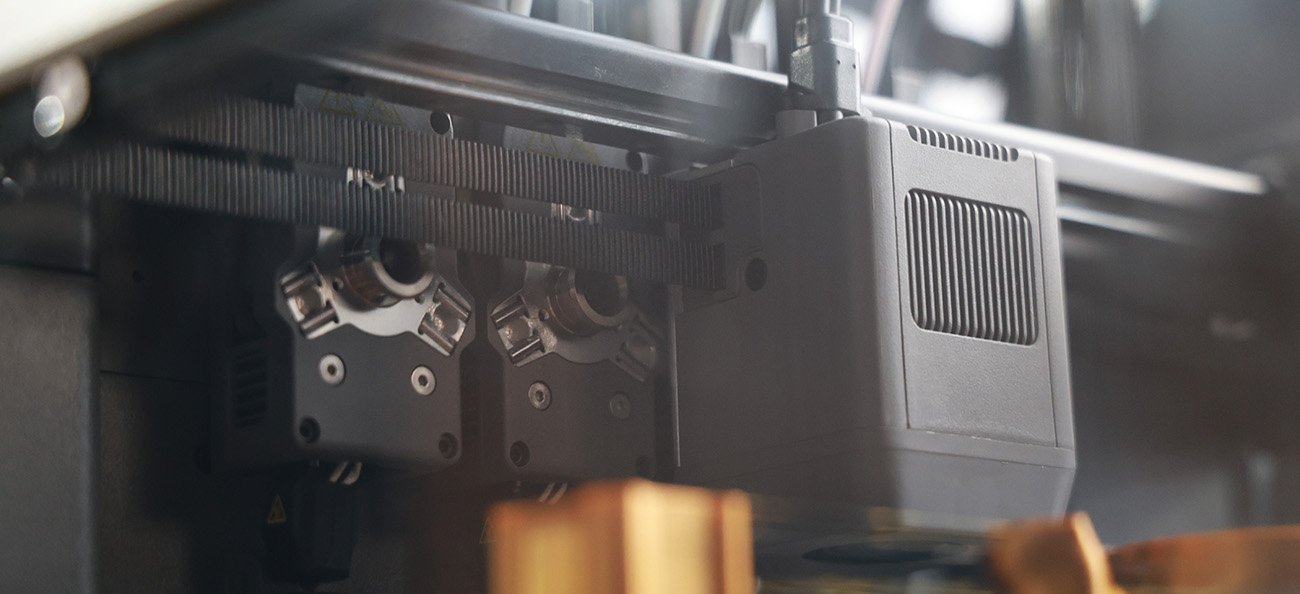
The Creator 5 Picking up a new toolhead mid print.
Where your savings end up being
Flashforge’s Zero purge waste claim is true when you start printing, after the initial toolhead purge. And as shown from the calculations, you can end up saving hundres of gram o filament per print in the right scenario. Maybe even kilos. At typical PLA costs around $15-25 per kilo, that’s a serious reduction in running costs, and higher margins if you’re printing products you sell.
The time saved is also real. You can achieve 2-3x output, meaning you need less machines to meet demand. It’s a great piece of math for your economy!
More expensive materials like CF-PETG/PA or TPU for example increases the savings in reduced waste per print as well, becoming a real factor for the more cost-ware engineering applications.
How the toolheads change materials
What enables the huge saving in time and money is the individual toolheads that the machine changes between. The toolhead has the filament tube, heating element, cooling fan and the nozzle.
There are 4 of them parked on the right side of the printer, and the main gantry-head (that has both motor, fan and levelling-probe, moves in and picks up a toolhead.
The toolheads are loaded with it’s own filament and can both cool and heat the nozzle when it’s parked. Meaning it will heat up before it’s time to swap to save time on swapping. The opposite is true when parked; it can cool down to a parking temperature (around 100-120C depending on material). This further speeds up the tool change. A drip-protector also protects from oozing during parking, which otherwise would cause a lot of stringing.
The full from color-to-new-color toolhead swap takes 22 seconds measured in real-world scenario including the prime tower. Other calculations often ignore prime tower. The video below shows the process in real time. I still think there are optimization to be done here, but it’s already much faster than the roughly 60-90 seconds for a full purge on AMS-style printers. With hundred or thousands of changes, that ends up being a lot of time.
The budget king of Multi-Material printing
The Creator 5 really shines when we’re changing between materials! Because each material uses it’s own toolhead we don’t have to worry about the same contaminations, purging, temperature differences or crystallization issues. This makes it’s painless to use different materials that are compatible (or not compatible, to create support interface).
TPU plus rigid material. TPU 95A extrudes without issues due to the direct drive extrusion. Models like Soft grips, feet or seals on a rigid body in one print is easy.
PETG support interface on PLA, or the reverse. One solid interface layer under an overhang gives clean separation and a much better underside than normal supports can achieve.
PVA and BVOH supports for geometry you cannot reach.
For materials that do not bond. Beam interlocking in the slicer creates a mechanical interlock between materials that will not fuse. It does not fix every combination, but it widens what is achievable.

White ABS with freshly removed black PETG-support (with some residue still left) printed using the Creator 5 Pro
Materials enabled by the heated chamber
With a chamber that can be heated to 65°C printing materials that are prone to warping becomes much easier.
I was suprised how well both ABS and ASA prints, and although my Nylon (and old PA6) was unable to dry properly, the print itself didn’t fail because of warping or adhesion, like they usually do.
The downside for some engineering grade materials is that the nozzles only goes to 320°C, which can rule out some special applications. I would hope Flashforge could add a “hot-toolhead” to the lineup to reach 350-380°C for those that needs it.
Problems and Flash Studio software
I did run into a few hiccups when reviewing the Creator 5 there are few things that bother me and other community members. I’d say none is a deal-breaker per say, but it’s for you to decide.
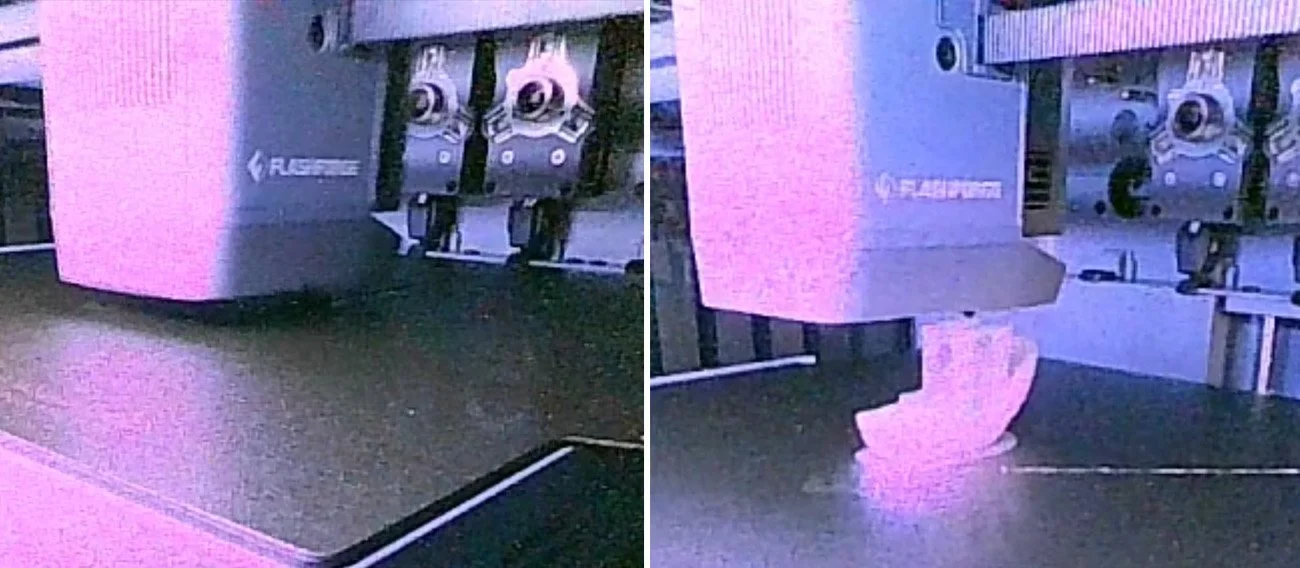
The main one is that the camera is terrible. Everything is wrong with it. White balance, compression, quality, color and frame rate. I don’t expect a 1920×1080 vlogger camera, but something closer to a built-in webcam would be nice. The built in light could have been brighter to help the camera potentially.
Some community members have reported that the enclosure leaks too much gasses and smell. I haven’t really thought about it too much, and my filter was placed the wrong way (thanks @ceerozilch6772 from YouTube comments). Then again I have fairly strong filtration in the studio anyways. But just be aware that the Creator 5 (or any other printer for that matter) does not remove all the smell and particles during printing.
The Calibration itself is fairly slow (I’ve seen estimates of over 40 minutes in the first versions of firmware) for a full calibration. And i’ve found you should do the extruder offset calibration (that measures each toolheads individual offset) fairly often, specially after a firmware update or moving the printer, or having a failed print. This offset is what makes multi-material printing look great. I’ve noticed some worse quality on fine text for example when I didn’t do this calibration after an update.
Flash Studio - Creator 5 slicer
The “official” slicer is Flash studio, a flashforge fork of OrcaSlicer. It looks and feels very similar to just OrcaSlicer and Bambu Studio, which is good for those already owning a 3D printer.
However the device page feels a bit left behind with the controls of your printer, materials loaded and etc.
Working with 3MF files from other slicers (specially from makerworld) can be a bit annoying, since they load profiles for both machine, build plate and materials from Bambu Lab printers. This means you have to remap those projects a bit more than you might expect.
Creator 5 does not auto-laod of use RFID to detect filaments (or count usage) so you’re stuck with loading filament manually on the machine. When you do that, you assign a material and rough color on the screen of the printer. This is all good, but if you’re loading a material not found in the list you might have problems. I tried loading PP (polypropylene) but there where no settings on-machine, so I had to pick something close. Even if I found a profile in slicer, when sending the print the machine it refuse to start because there are no matching filament type loaded. There has to be some sort of “override” option for materials not yet added through firmware to the machines own presets (for loading/unloading).
Creator 5 vs Creator 5 Pro
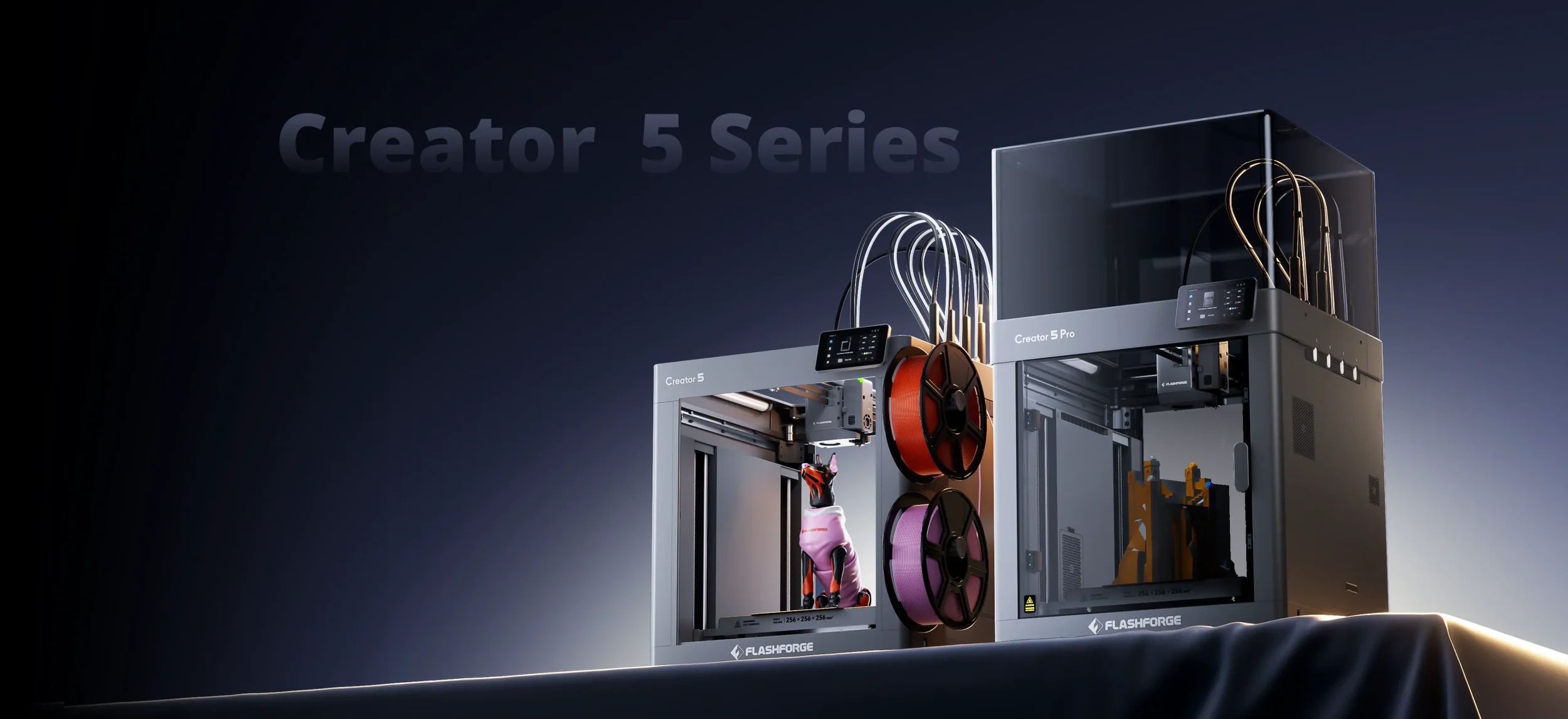
In essence: Buy the Creator 5 for multi color PLA and PETG, or as a printfarm machine. Buy the Pro if you will ever print ABS, ASA or nylon, because you cannot upgrade the regular to Pro later.
| Creator 5 | Creator 5 Pro | |
|---|---|---|
| Price | $699 list $799 |
$849 list $949 |
| Enclosure | Open frame | Fully enclosed |
| Heated chamber | No | 65 °C active |
| Filtration | No | HEPA13 + activated carbon |
| Materials | PLA, PETG, TPU, PVA, BVOH, PLA-CF, PETG-CF | Same, but adds: ABS, ASA, PA, PAHT-CF, PET-CF, PPS-CF |
| Toolheads, build volume, speed | Identical: 4 toolheads, 256 × 256 × 256 mm, 300 mm/s print, 600 mm/s travel | |
| Upgradeable to Pro | No | Not applicable |
| Buy it for | Multi-color PLA and PETG, print farms | ABS, ASA, nylon and multi-material parts |
Flashforge Creator 5 specifications
| Toolheads | 4 independent, direct drive |
|---|---|
| Build volume | 256 × 256 × 256 mm |
| Max print speed | 300 mm/s |
| Max travel speed | 600 mm/s |
| Max acceleration | 30,000 mm/s² |
| Max flow rate | 32 mm³/s |
| Max nozzle temp | 320 °C |
| Max bed temp | 120 °C |
| Heated chamber | Active, max 65 °C |
| Nozzle sizes | 0.4 mm standard 0.25 / 0.6 / 0.8 mm optional |
| Build plate | Textured PEI, flexible steel |
| Calibration | Auto leveling, auto toolhead offset, auto pressure advance |
| Frame | Fully enclosed |
|---|---|
| Air filtration | HEPA13 + activated carbon |
| Auxiliary cooling | Yes |
| Camera | 1280 × 720 px, 30 fps |
| Display | 4-inch color touchscreen, 800 × 480 px |
| Connectivity | Wi-Fi 2.4 / 5 GHz, USB drive |
| Slicer | Flash Studio, Orca-Flashforge, OrcaSlicer |
| Sensors | Filament run-out, door and top cover |
| Power loss recovery | Yes |
| Weight | 18 kg net, 22 kg boxed |
| Power | 1200 W, 100–120 V / 200–240 V |
| Noise | 55 dB claimed |
| Dimensions | 441 × 411 × 460 mm (printer body) 520 × 443 × 710 mm (with filament tubes and spool holders) |
|---|---|
| Clearance needed | 10 mm left and rear, 200 mm right, 500 mm front |
| Filaments | PLA, PETG, TPU 95A, TPU 64D, TPU 90A (top-mounted spool), Silk, PLA-CF, PETG-CF, PVA, BVOH, HIPS With enclosure: ABS, ASA, ABS-GF, ASA-CF, ASA-GF, PA-CF, PAHT-CF, PET-CF, PPA-CF, PPS-CF |
How it compares to the competition
Flashforge are well know for creating products that compete on price and often perform just as good as any of the competition, while often being slightly slower on jumping on trends (a great exception is their new Cj270 the worlds first full-color 3D printer). With the Creator 5 Pro they hit the market just after Snapmaker U1, and challenges well on price.
Snapmaker U1. Same 4-toolhead concept, open frame with an optional cover, slightly larger 270 mm volume, Klipper firmware. My full comparison: Snapmaker U1 vs Flashforge Creator 5.
Bambu Lab P2S. Same build volume, better software integration, and a very usable camera… But has the slow filament swapping AMS-design. Wins on ecosystem, ease-of-use and popularity as a brand. Pick the P2S for mostly single-color printing with a polished workflow. Pick the Creator 5 Pro for frequent multi-color or multi-material work. Check it out here.
Bambu Lab H2C. A much more advanced multi-color 7-tool head swapper at a larger build volume. Expandable to 24-filaments using several AMS-systems. Totally different price league at roughly $2,099 but worth considering if you need more colors and volume.
| Flashforge Creator 5 | Flashforge Creator 5 Pro | Snapmaker U1 | Bambu Lab H2C | Prusa XL (5-tool) | |
|---|---|---|---|---|---|
| Price | $699 | $849 | $849 without enclosure | $2,099 | $3,899 without enclosure |
| Type | Tool changer | Tool changer | Tool changer | Vortek nozzle changer | Tool changer |
| Toolheads / nozzles | 4 | 4 | 4 | 7 Vortek + AMS | 5 |
| Build volume | 256 × 256 × 256 mm | 256 × 256 × 256 mm | 270 × 270 × 270 mm | 330 × 320 × 325 mm | 360 × 360 × 360 mm |
| Max print speed | 300 mm/s | 300 mm/s | – | – | – |
| Max travel speed | 600 mm/s | 600 mm/s | 500 mm/s | 1,000 mm/s | – |
| Max acceleration | 30,000 mm/s² | 30,000 mm/s² | 20,000 mm/s² | 20,000 mm/s² | 4,500 mm/s² |
| Color-change waste | Prime tower only | Prime tower only | Prime tower only | Near-zero (Vortek) | Prime tower only |
| Enclosure | Open frame | Fully enclosed | Open frame $149 cover optional |
Enclosed | Open frame enclosure optional |
| Heated chamber | No | 65 °C active | No | 65 °C active | No |
Flashforge illustration of filament saved using their Toolchangers.
Creator 5 Price and where to buy
The Creator 5 Pro is currently $849 (MSRP $949). Code 3DPTD30 gives an additional $30 off at flashforge.com. As of writing this article everything is in stock.
Who should consider buying it?
Buy it if you print multi-color regularly and are tired of all the waste in plastic and money, if you want to combine interesting materials in one part, or if you need great ABS and ASA capability under $1,000. A few standard Creator 5 units also make sense for a print farm moving away from AMS-style printers.
Skip it if you need more than 256 mm, need more than 4 colors/materials (we don’t know if the VDS systems can be combined like AMS), rely on great remote camera monitoring and timelapses or don’t want to fiddle with makerworld-to-flash-studio-conversions.
Frequently asked questions
How much does the Flashforge Creator 5 Pro cost?
As of September 2026 the Creator 5 Pro is $849 at flashforge.com (list price $949) and the open-frame Creator 5 is $699 (list price $799). My code 3DPTD30 takes a further $30 off.
Is the Creator 5 Pro really zero waste?
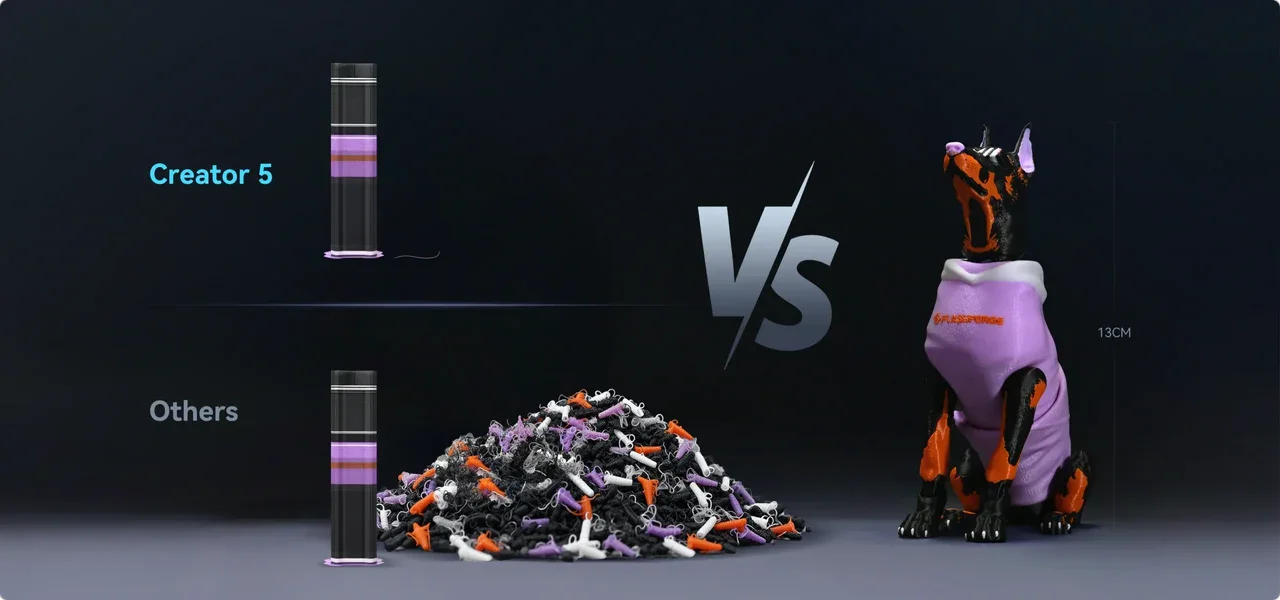
No, but it is close. Every tool change primes the nozzle on a prime tower. On a 4-color test print that was 100.6 g of waste, where Bambu Studio calculated 656.6 g for an AMS printer. That is 85% less.
How much faster is it than an AMS printer on multi-color prints?
About 3x on my test model. The Creator 5 Pro finished a 4-color print in 17 hours, where Bambu Studio calculated 51 hours 17 minutes for an AMS printer. At 0.12 mm layers the calculated times were 28 hours against 78 hours.
Should I buy the Creator 5 or the Creator 5 Pro?
Buy the Creator 5 for multi-color PLA, PETG and TPU, or for a print farm. Buy the Pro if you will ever print ABS, ASA or nylon. The toolheads, build volume and speed are identical. The Pro adds the enclosure, the 65 °C heated chamber and HEPA13 filtration.
Can I upgrade the Creator 5 to the Creator 5 Pro later?
No. The active chamber heating is built into the Pro and cannot be added to a Creator 5. You can build a passive enclosure around a Creator 5, but that only retains heat.
Does the Creator 5 Pro have a camera?
Yes, but it is 1280 × 720 at 30 fps and the image quality is poor. You can see whether a print has come loose, but you cannot judge print quality, and timelapses look bad.
Can the Creator 5 Pro print ABS, ASA and nylon?
Yes. With the chamber at 65 °C, ASA and ABS print almost as easily as PLA. Nylon works too but must be dry. My old PA6 still extruded poorly after 12 hours in a dryer. The hotends reach 320 °C.
Can the Creator 5 print TPU?
Yes. TPU 95A prints without issues, and combining TPU with a rigid material in one part is one of the best uses of the machine.
What slicer does the Creator 5 Pro use?
Flash Studio, which is Flashforge's fork of OrcaSlicer. Orca-Flashforge and standard OrcaSlicer also work. Bambu-format 3MF projects from MakerWorld do not import cleanly, so expect to reset settings or repaint colors.
Can I use different nozzle sizes in the same print?
Not yet. The hardware could do it, and 0.25, 0.6 and 0.8 mm nozzles are available, but Flash Studio has no way to assign different nozzle sizes to different toolheads as of September 2026.
How long does calibration take?
Toolhead offset calibration takes about 17] minutes. It is needed at setup, after a nozzle change or after a crash, not before every print. Each print also has a startup routine of about [X] minutes.
Where does the purge waste go? Is there a poop chute?
There is no chute. The startup purge drops under the build plate and collects inside the machine.
What are the dimensions of the Creator 5 Pro?
The printer body is 441 × 411 × 460 mm, or 520 × 443 × 710 mm with filament tubes and spool holders. It weighs 18 kg. Flashforge recommends 10 mm clearance at the left and rear, 200 mm on the right and 500 mm in front.
Flashforge Creator 5 vs Snapmaker U1: which should I buy?
The Creator 5 is cheaper ($699 against $849) and the Pro adds a heated chamber as well as an enclosure the U1 does not have included. The U1 has a slightly larger 270 mm build volume and runs Klipper. See my full Snapmaker U1 vs Creator 5 comparison.
Flashforge Creator 5 Pro vs Bambu Lab P2S: which is better?
Same 256 mm build volume, different approach. The Bambu Lab P2S has better software and a better camera, but its AMS purges on every color change. Choose the P2S for mostly single-color printing. Choose the Creator 5 Pro for frequent multi-color or multi-material work.
Is the Creator 5 Pro in stock?
Yes. Both models were in stock at flashforge.com in September 2026. The pre-order and deposit campaign has ended.
